
Slide Shows in PowerPoint show your presentation on a large screen to your audience; it enables you to move slides in the presentation back and forward to give the audience a better understanding of your information. A Custom slide shows only the slides you choose; this is a great way to shorten your presentation or customize it for a different audience. In this tutorial, we will explain how to create a custom slide show in PowerPoint.
Follow the steps below to create and start a custom slide show in PowerPoint.
- Create a basic custom show
- Start a custom show from PowerPoint
1] Create a basic custom show in PowerPoint
Launch PowerPoint.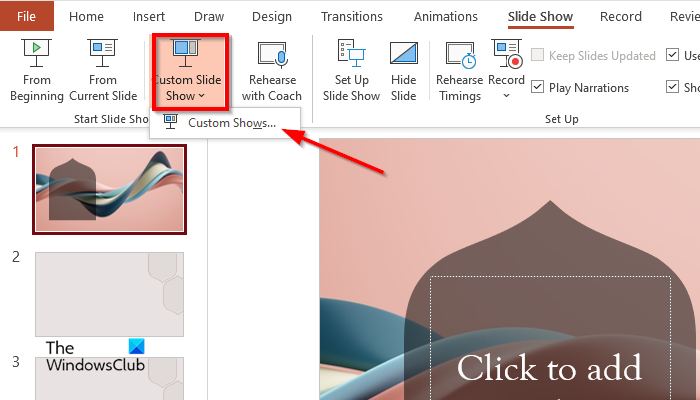
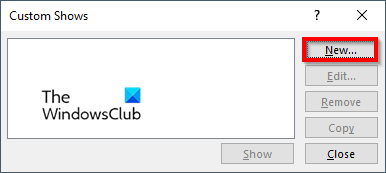
A Custom Shows dialog box will appear, click the New button.
A Define Custom Show dialog box will appear.
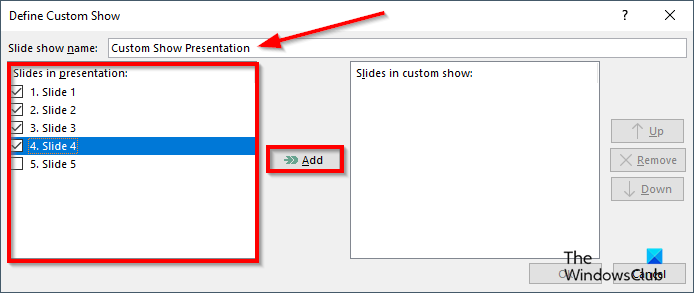
Give the slide show a name, then choose the slides that you want to include in the custom show, then click Add.
There is an Up and Down arrow button included in the dialog box that people can use to change the order of the slides if they desire.
If you want to remove a slide, click the Remove button
Now click OK.
Then click the Show button to see the custom slide show.
2] Start a custom show from PowerPoint
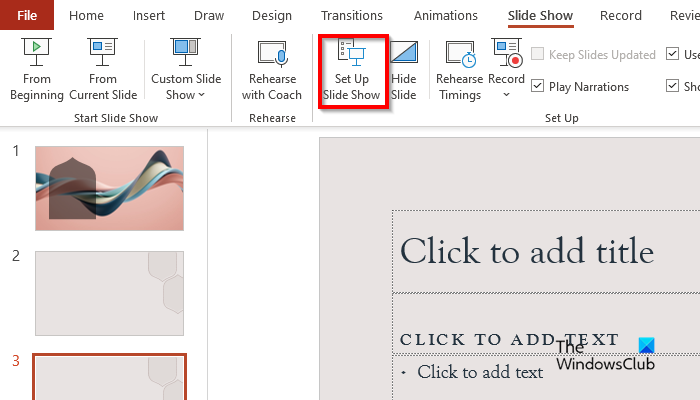
On the Slide Show tab in the Set Up group, click the Set Up Slide Show button.
A Set Up Show dialog box will appear.
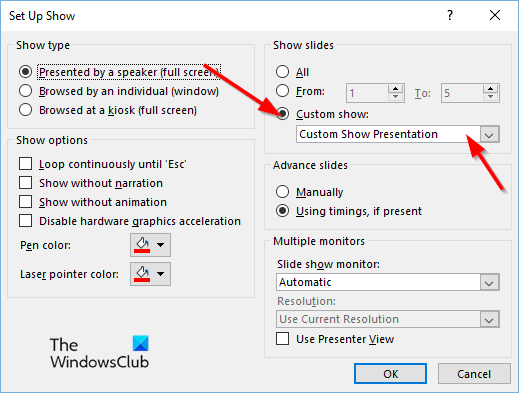
Under the Show Slides section, Click Custom Shows, then click the show you want.
Then click OK.
On the Slide Show tab, click Custom Slide Show and select Custom Shows from the menu.
A Custom Show dialog box will appear.
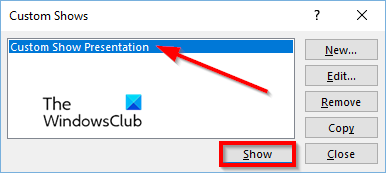
Choose a custom show from the list, then click the Show button.
We hope you understand how to create a custom slide show in PowerPoint.
Which program is used to create a presentation?
The program used to create a presentation is called Microsoft PowerPoint. PowerPoint is a presentation program that uses graphics, videos, etc to make your presentation more appealing and interactive to your audience when presenting.
What is the shortcut for slideshow?
A Shortcut key is a combination of keys that users can use to make a quick command on their computer device. In PowerPoint, slide shows are used to showcase any presentation on a large screen. The shortcut key to open a slide show is F5, and to close a slide show, press the ESC key.
What are custom shows?
A Custom Slide Show in Microsoft PowerPoint is a feature that allows users to choose the slides or arrange the order of slides they want to include in the presentation. To use the custom shows, pick the slides you want to use, add them to the new show, change the order of the slides if necessary, and you’re finished.
READ: How to make a background with Chalk or Marker effect in PowerPoint
How would you start your Slide Show?
There are several ways you can start a slide show in PowerPoint:
- Click the Slide Show button at the bottom of the PowerPoint interface.
- On the Slide Show tab, click the From Beginning button in the Start Slide Show group to showcase the presentation on a large screen.
- Press the F5 button.